

Introduction
Did you ever wonder, what happens, when you disable the security defaults in an Entra ID Tenant? I recently setup a brand new tenant and were pretty surprised.
What are security defaults?
Maybe first, let’s have a look, what the security defaults are. Security defaults are a default setting for new tenants to protect your tenant with MFA and other stuff. Basically it is a non-customizable set of conditional access policies.
Security defaults are also the reason, why everyone needs to register MFA by default. So why do you want to turn it off? If you want to use conditional access 🙂
When should you use security defaults?
A quick comparison:
| Security defaults | Conditional access | |
| Licensing | Entra ID Free | Entra ID P1 or P2 |
| Customization | None | Fully customizable |
| Complexity | Easy | Can be tough 😉 |
So when do you want to use security defaults or disable it and use conditional access?
If you have many different workloads, maybe accounts, which are non-MFA capable (I hope you don’t) and need a fully-customizable ruleset for accessing your tenant -> Conditional access.
If you are a little company and maybe don’t have an own IT department with or little to no knowledge about securing your tenant -> security defaults.
Please, don’t you ever disable security defaults and don’t configure conditional access, you will expose your tenant by not enforcing MFA.
What happens, when you disable it?
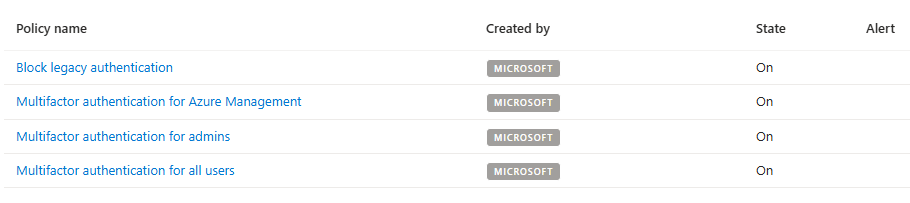
As I said, security defaults are a non-customizable set of conditional access policies. When disabling it, it will ask you, if you want to create the policies as new conditional access policies (which is a really good starting point!). Basically, these policies will be created (which are active in the background with security defaults active):
What do they protect?
Glad you asked! I will break the policies up for you.
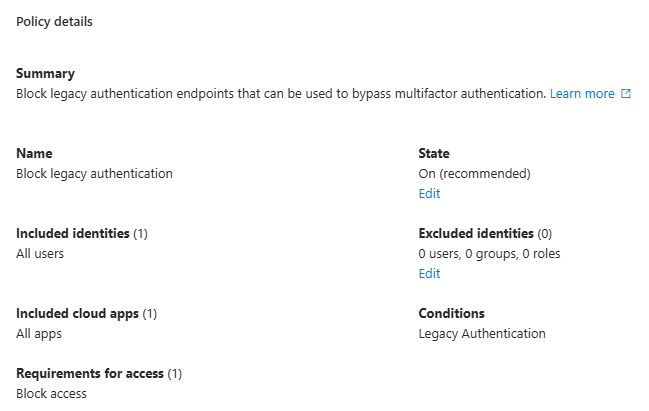
Block legacy authentication
This policy will block legacy authentication protocols which are not MFA capable. This include for example SMTP authentication or Exchange ActiveSync clients.
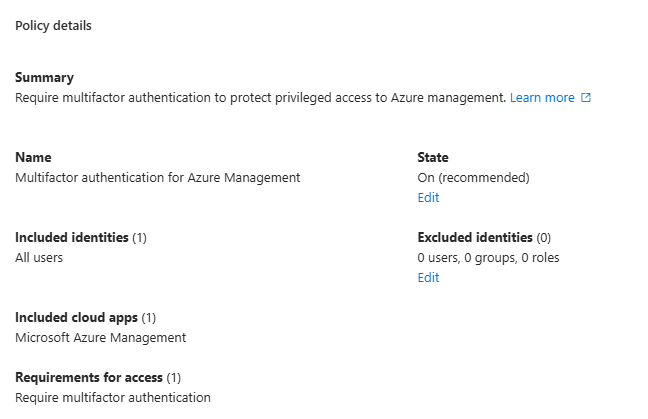
Multifactor authentication for Azure Management
This will force multifactor authentication, if you want to access Azure Resource Manager (Azure management). This will only be applicable, if you have an active Azure subscription.
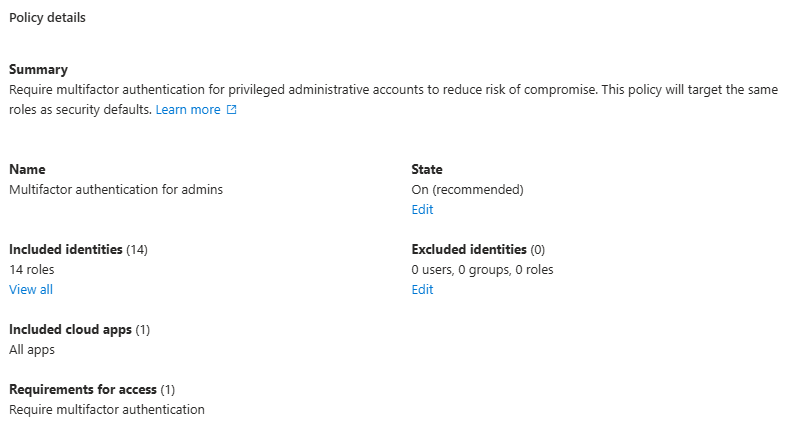
Multifactor authentication for admins
This will for multifactor authentication for users, which have specific admin roles assigned:
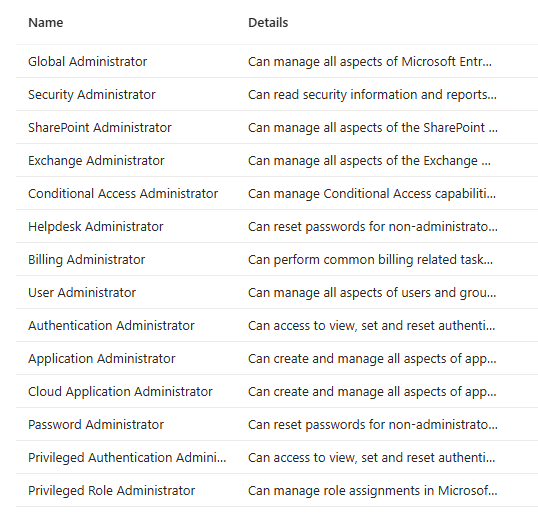
The policy is assigned to users in these roles and is applicable for all resources.
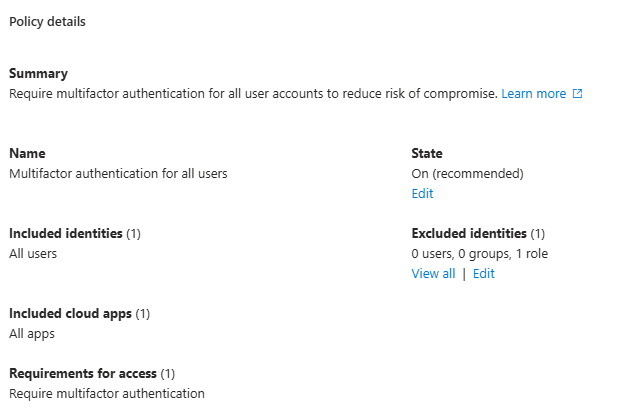
Multifactor authentication for all users
Last but not least, this policy is assigned to all users, accessing any app in the tenant. It has one exception, which are Directory Synchronization Accounts. This role is assigned to service accounts, responsible for syncing users from an on-premises Active Directory to Entra ID.
Final thougts
If possible, use conditional access and exclude your break-glass accounts from all policies. Be careful what you do, because you could put your users on risk. For little organizations with no suitable licensing or people, who may don’t know how to secure the tenant, security defaults is a nice tooling to secure your tenant.
[…] This post was published first on What happens when you disable security defaults? […]