
What Are Custom Compliance Policies in Microsoft Intune?
Rarely seen (at least I didn’t 😂), custom compliance policies will give you the ability to detect any kind of misconfigurations or custom detections (fitting your organization) and block access to organization data with conditonal access policies if the compliance check fails.
You can use custom compliance policies for the following operating systems:
- Windows
- Linux
- (WSL2)
The policy consists of two files: a discovery script, which is PowerShell on Windows and a POSIX compliant script for Linux. The second part is a JSON file, which defines the settings your script will discover 😉 In this blogpost, I will cover the Windows part. You can find more information in the official documentation: Use custom compliance settings for Linux and Windows devices in Microsoft Intune – Microsoft Intune | Microsoft Learn
The custom compliance will check for new discovery scripts every 8 hours, also it will run every 8 hours. Unfortunately, you cannot trigger custom compliance checks from remote like remediation scripts.
Secure boot and firmware version
In my example, I want to see, which devices are on an old firmware version. I will define a minimum firmware version, which is compatible with the current secure boot CA. I’m using a Surface Book 3, so I need to look, which version is the minimum version. I linked the main vendors sites with the information of the minimum firmware version, so you can adjust the script accordingly 😉
How to create a custom compliance policy in Intune?
Creating the policy is split up into two parts: Creating the script and creating the compliance policy.
Creating the discovery script
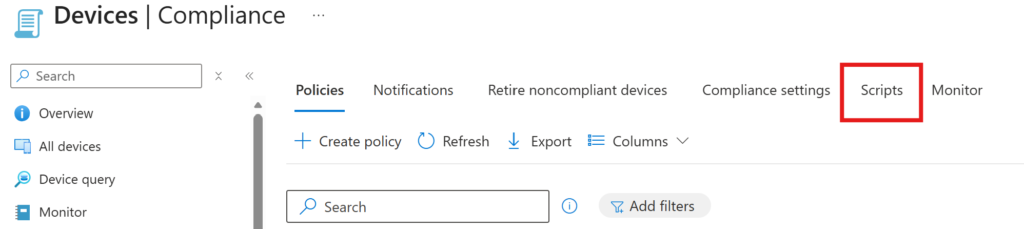
In Intune, go to your compliance policies and go to “Scripts”
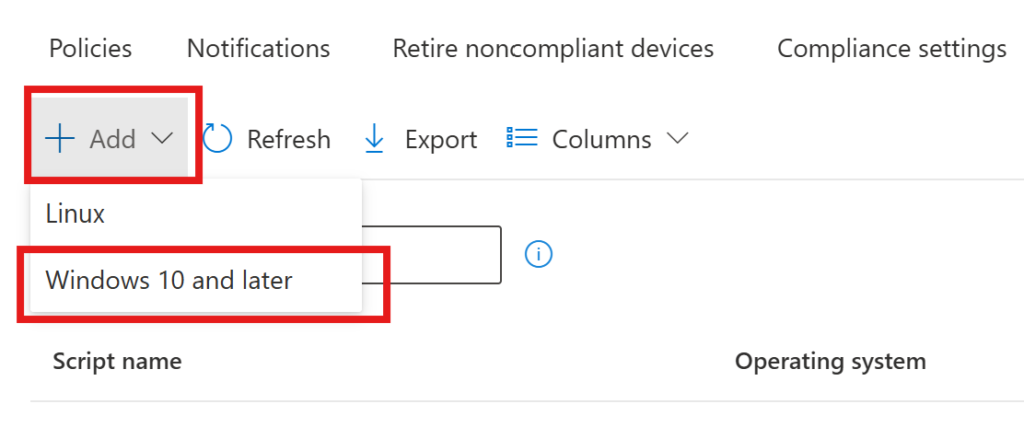
Obviously, I want to create a custom policy for Windows so I choose “Windows 10 and later”
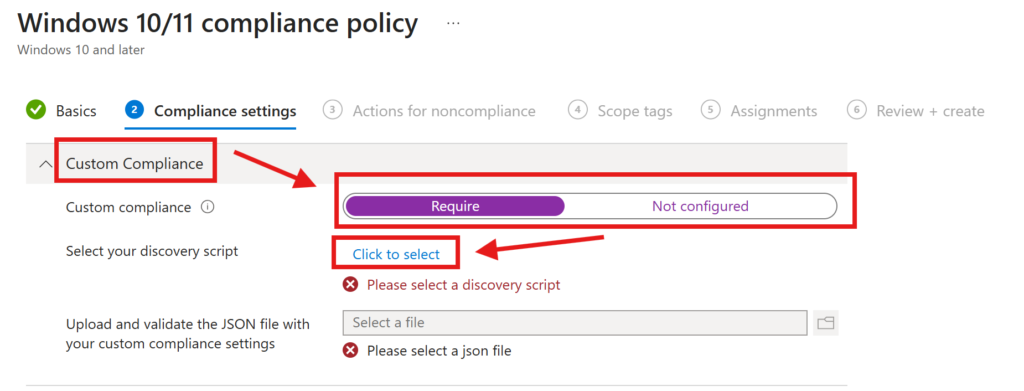
Give it a saying name and click “Next”
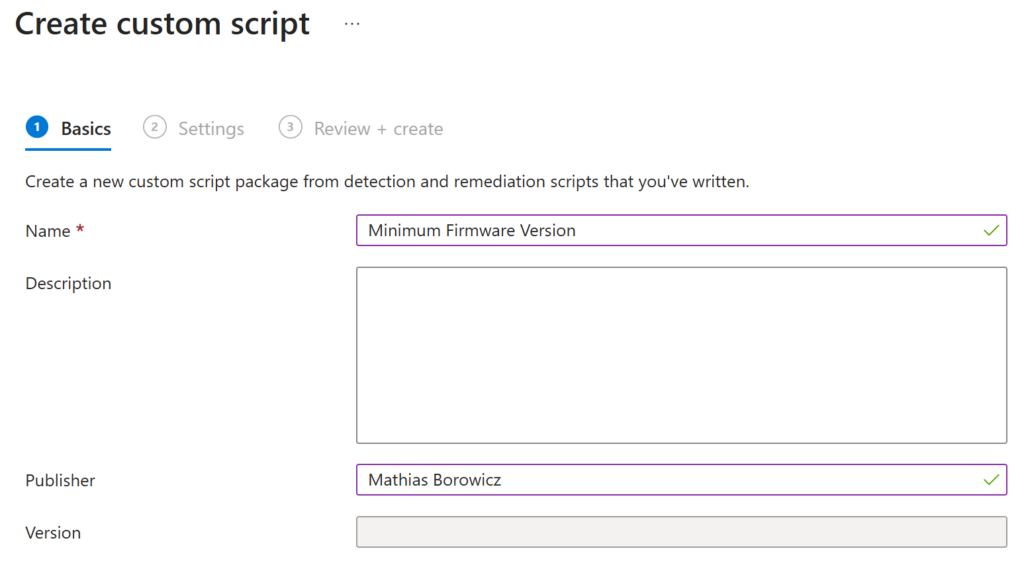
Now you have to paste your script into the window
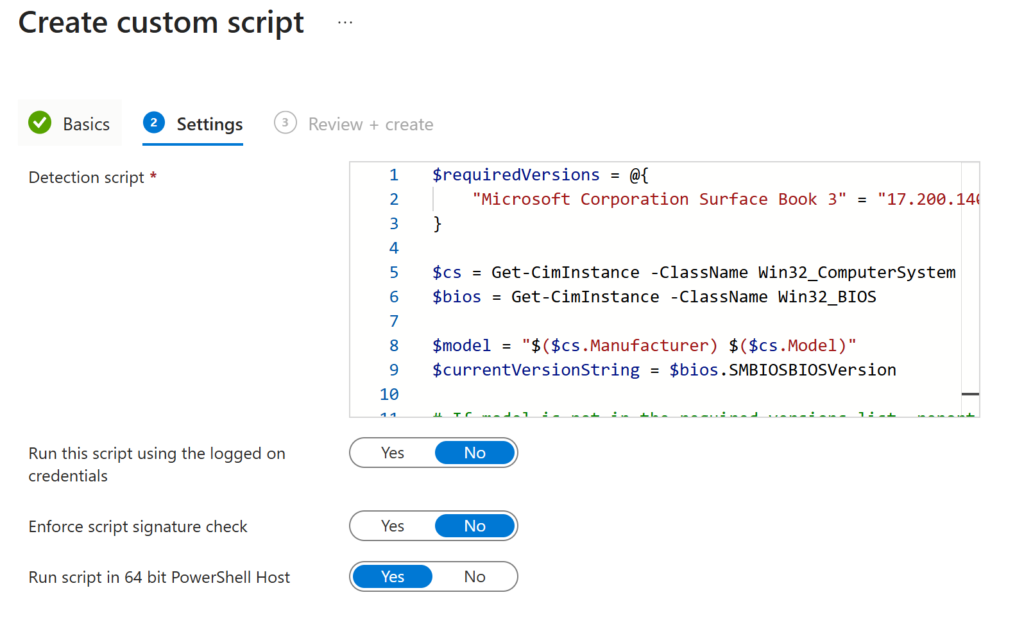
$requiredVersions = @{
    "Microsoft Corporation Surface Book 3" = "17.200.140.0"
}

$cs = Get-CimInstance -ClassName Win32_ComputerSystem
$bios = Get-CimInstance -ClassName Win32_BIOS

$model = "$($cs.Manufacturer) $($cs.Model)"
$currentVersionString = $bios.SMBIOSBIOSVersion

# If model is not in the required versions list, report 0.0.0 so the GreaterEquals rule fails
if (-not $requiredVersions.ContainsKey($model)) {
    $hash = @{ CurrentVersion = "0.0.0" }
    return $hash | ConvertTo-Json -Compress
}

$hash = @{ CurrentVersion = $currentVersionString }
return $hash | ConvertTo-Json -Compress
If you have multiple devices, you could add them and the minimum firmware version into the requiredVersions array 😉
Every discovery script hast to end with
return $hash | ConvertTo-Json -CompressThis is because, that it will return a JSON file, which must be matching with the JSON file I mention above (no worries, I will paste it in a minute). This is regardless of what discovery you want to make.
Creating the compliance policy.
Now we create a compliance policy
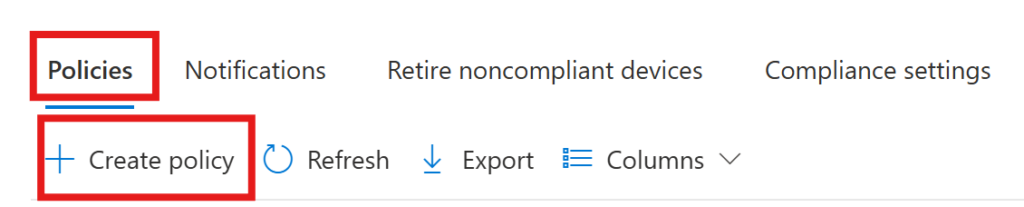
Again, give it a saying name and click “next”
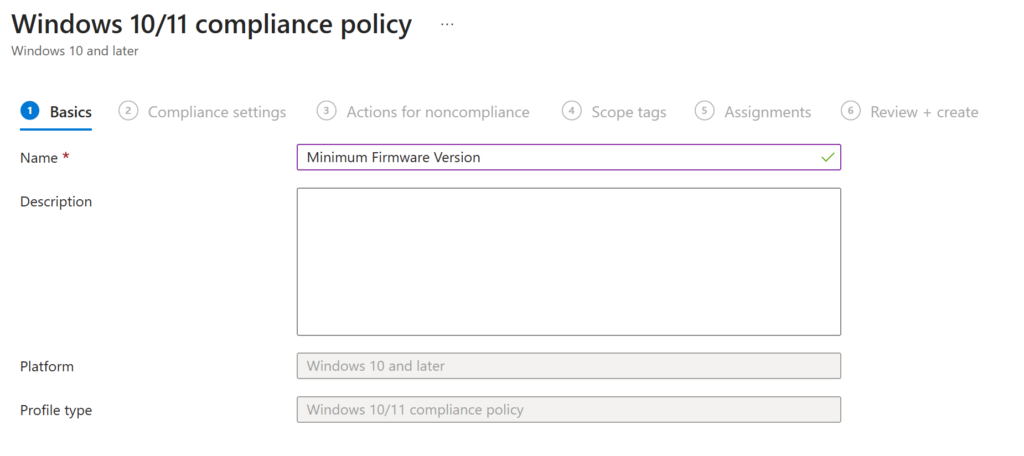
Now we choose “Custom Compliance”, set it to “Require” and choose the discovery script, which we created in the former step.
Now you need to upload your JSON which will define the values, which we count as compliant.
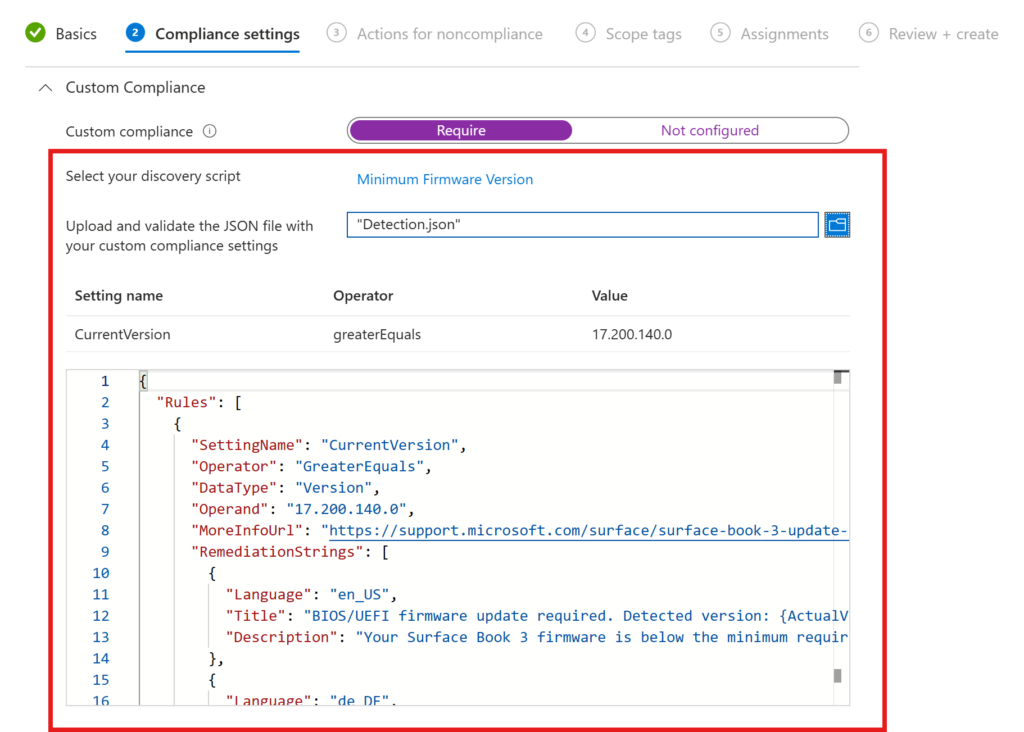
{
  "Rules": [
    {
      "SettingName": "CurrentVersion",
      "Operator": "GreaterEquals",
      "DataType": "Version",
      "Operand": "17.200.140.0",
      "MoreInfoUrl": "https://support.microsoft.com/surface/surface-book-3-update-history",
      "RemediationStrings": [
        {
          "Language": "en_US",
          "Title": "BIOS/UEFI firmware update required. Detected version: {ActualValue}.",
          "Description": "Your Surface Book 3 firmware is below the minimum required version 17.200.140.0. Please update via Windows Update or the Surface app."
        },
        {
          "Language": "de_DE",
          "Title": "BIOS/UEFI-Firmware-Update erforderlich. Erkannte Version: {ActualValue}.",
          "Description": "Die Firmware Ihres Surface Book 3 liegt unter der erforderlichen Mindestversion 17.200.140.0. Bitte aktualisieren Sie über Windows Update oder die Surface-App."
        }
      ]
    }
  ]
}
You can define your JSON as you wish. You can find more information here: Create a JSON file for custom compliance settings in Microsoft Intune – Microsoft Intune | Microsoft Learn
Important here are the following values:
- SettingName: CurrentVersion (CurrentVersion of my firmware)
- Operator: GerateEquals (our CurrentVersion must be greater or equal)
- DataType: Version (our DataType is “Version”)
- Operand: 17.200.140.0 (the value, where CurrentVersion must be equal or greater)
- RemediationStrings: you can define the text the user sees in the language of the specific operating system to make it easier for the user to remediate the issue
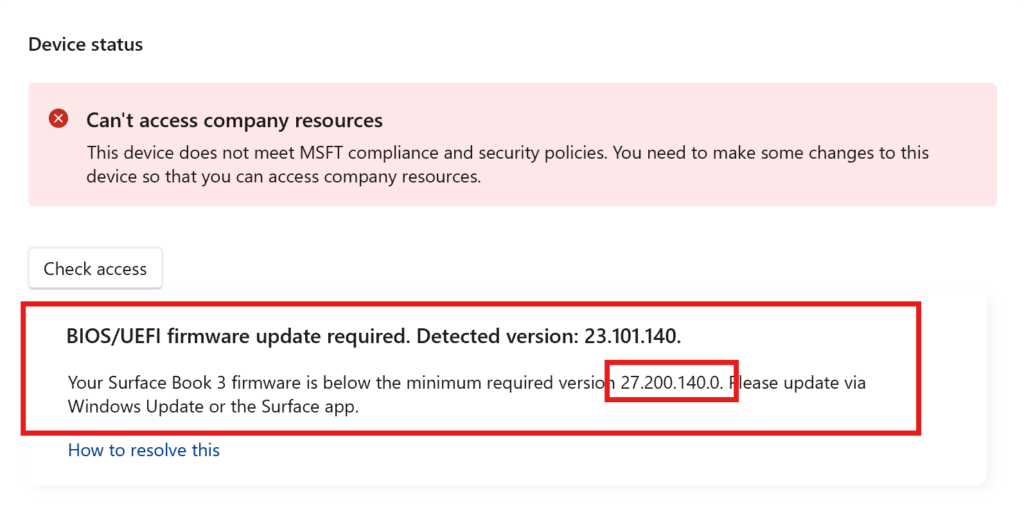
I want my device to be non-compliant immediately (for demonstration reasons, you could also send an E-Mail to your helpdesk without breaking productivity of the user). Also for demonstration puproses, I will set the minimum version, to a higher version my Surface Book has. The script and the JSON above has the actual minimum values for a Surface Book 3.
Checking (non)compliance
If you now have a look at the HealthScripts.log in C:\ProgramData\Microsoft\IntuneManagementExtension\Logs, you can see, that the custom compliance policy was executed (for digging into the logs, I strongly recommend CMTraceOpen it’s amazing!)

Now when you open the company portal and check the compliance status, you will see a very known message (the one, we formerly put into our JSON file 😉)
Conclusion
Custom compliance policies are a great way to monitor specific settings, which are not possible to check with the common compliance policies.
[…] This post was published first on How to Use Custom Compliance Policies in Microsoft Intune […]