

What are these token?
These tokens are necessary if you manage iOS/iPadOS or MacOS devices with Intune. There are three different token:
| Name | Lifetime |
| Push Certificate | 1 year |
| VPP Token | 1 year |
| DEP Token | 1 year |
You will absolutely want to monitor at least the Push Certificate, because once it has expired, you need to re-enroll all Apple devices (there’s a 30day cadence window in which you can renew the certificate).
I won’t go through configuration of these token but only show, how to monitor them with a Logic App 😊
Logic App
Logic apps are an easy way to build automations in Azure. We can leverage the Graph API to get each token lifetime and post a Teams message when the expiration date nears.
Managed Identity
First of all, we need to create the logic app and enable the managed identity
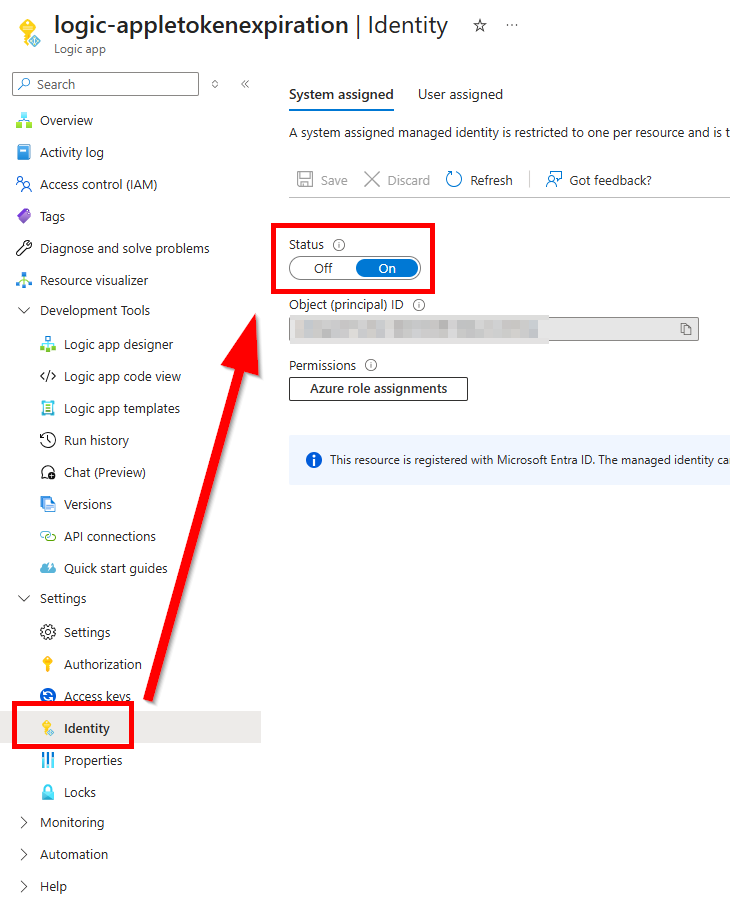
This will allow the app to make Graph API calls, once we set the right permissions. We need to assign the managed identity the following permissions:
- DeviceManagementConfiguration.Read.All
- DeviceManagementServiceConfig.Read.All
You can add them with the following PowerShell snippet:
$ObjectId = "object-id-of-the-managed-identity"

$graphScope = "permission.you.want.to.add"

Connect-MgGraph -Scope AppRoleAssignment.ReadWrite.All
$graph = Get-MgServicePrincipal -Filter "AppId eq '00000003-0000-0000-c000-000000000000'"
$graphAppRole = $graph.AppRoles | ? Value -eq $graphScope

$appRoleAssignment = @{
    "principalId" = $ObjectId
    "resourceId"  = $graph.Id
    "appRoleId"   = $graphAppRole.Id
}

New-MgServicePrincipalAppRoleAssignment -ServicePrincipalId $ObjectID -BodyParameter $appRoleAssignment | Format-List
Logic App Overview
Here’s an overview of the Logic app. It will on a regular basis (once a day) and do three API calls. If the DaysToExpire is less than 7 Days, it will post a Teams message into a channel.
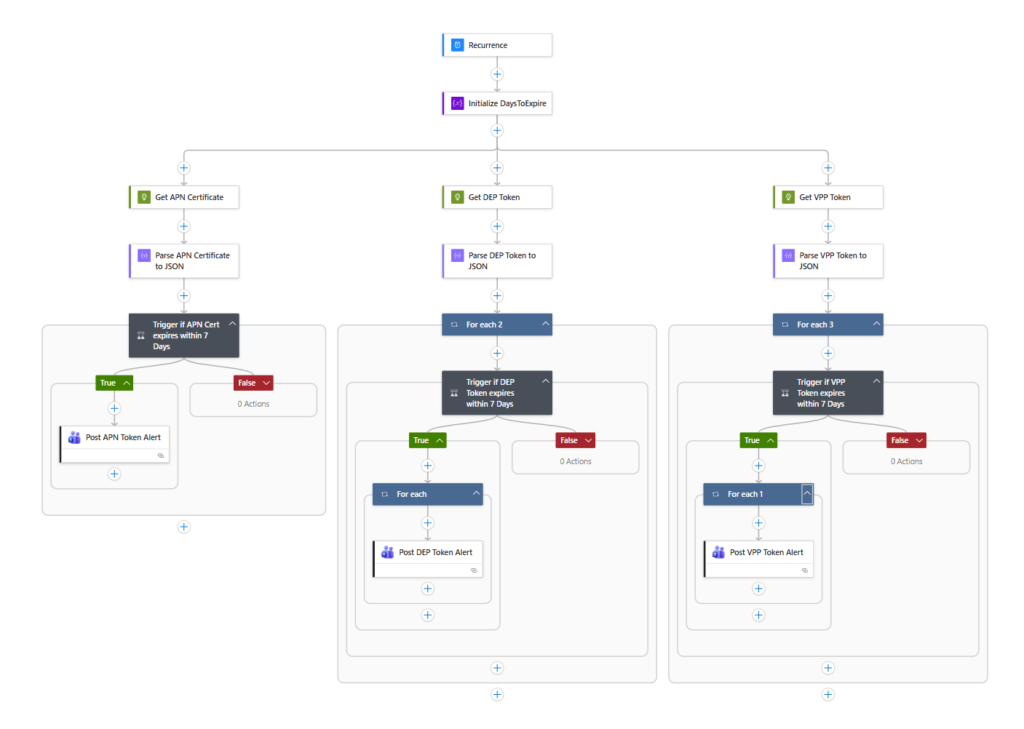
Trigger and Variable

Recurrence is set to 1 Day (run daily). Next I use the step “initialize Variable” with an Integer value of 7.
API Calls

Now we need to do the API calls.
| API Calls | Token Type |
| https://graph.microsoft.com/v1.0/deviceManagement/applePushNotificationCertificate | Push Certificate |
| https://graph.microsoft.com/beta/deviceManagement/depOnboardingSettings | DEP Token |
| https://graph.microsoft.com/beta/deviceAppManagement/vppTokens | VPP Token |
In each HTTP Request step, set the authentication part as the following
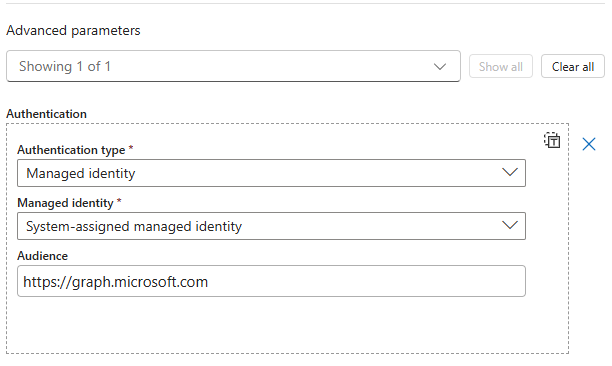
The next step is a “Parse JSON” action to parse the output from the Graph API request.
Condition
Now we use a condition to send a message, if one of the token is expiring within 7 days.
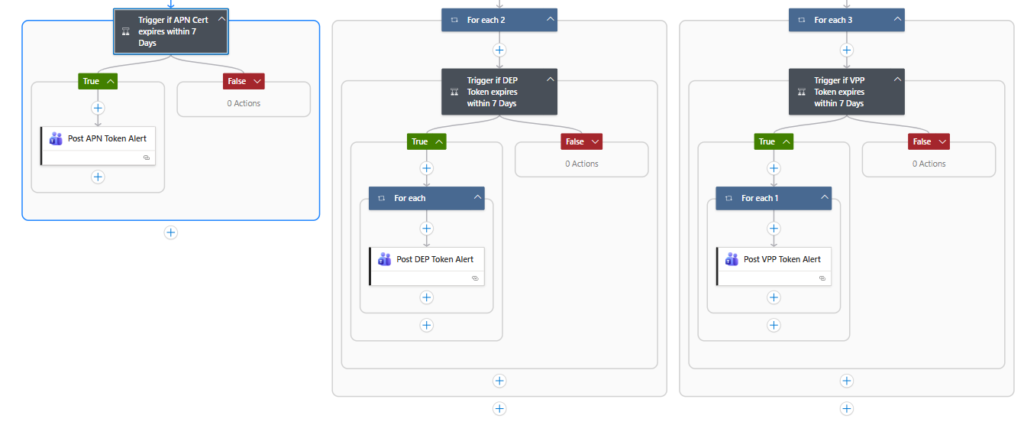
| Expression | Operator | Value |
| less(body(‘Parse_APN_Certificate_to_JSON’)?[‘expirationDateTime’],addDays(utcNow(),variables(‘DaysToExpire’))) | = | true |
less(body('Parse_APN_Certificate_to_JSON')?['expirationDateTime'],addDays(utcNow(),variables('DaysToExpire')))If you want to copy and paste this, please make sure to use the exact same names for the single steps 🙂
We use the variable defined above, to set the DaysToExpire in one step. Otherwise, we would need to define it for every token.
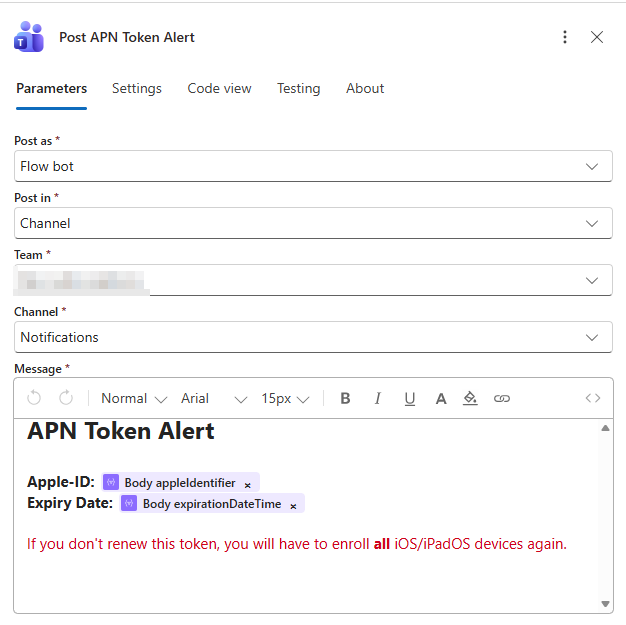
Now we use the Post message to Teams channel action to post the outcome into a Teams channel. The next screenshot is the example for the Push Certificate.
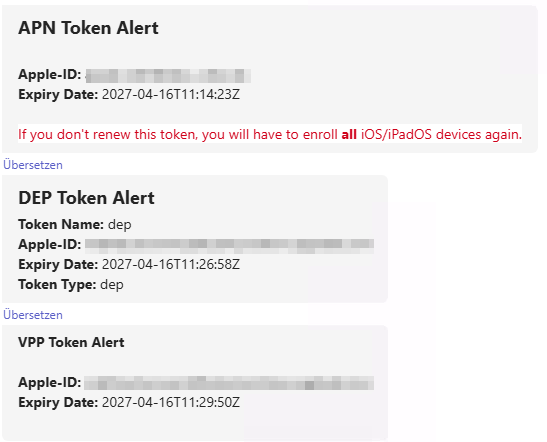
The outcome will look something like that:
Conclusion
I absoloutely recommend everyone who is managing Apple devices, to monitor these token – hopefully this could help you preventing any outages.
[…] This post was published first on Monitor Intune Apple Token Expiration with Logic App […]